Have you ever searched for an app but found a message saying “This app is not available in your country or region”? It can be frustrating, especially when the app you want is popular, useful, or recommended by others.
App availability often depends on location because of licensing agreements, government regulations, language support, or developer decisions. The good news is that there are several ways to access apps that are unavailable in your country.
In this guide, we will explain how to download apps not available in your country on iPhone, Android, and other devices, along with safe methods to avoid common problems.
Why Are Some Apps Not Available in Your Country?
Before trying different solutions, it helps to understand why an app may be restricted. Common reasons include:
- The developer has not launched the app in your region.
- Licensing agreements limit availability.
- The app does not support your local language or services.
- Local laws prevent the app from operating.
- The app is being tested in selected countries first.
- Your device does not meet the app requirements.
These restrictions are usually controlled by app stores, not by your phone.
How to Download Apps Not Available in Your Country on iPhone
Apple uses country-based App Store regions. To download apps from another country, you may need to change your Apple ID region.
Method 1: Change Your App Store Country or Region
Follow these steps:
- Open Settings on your iPhone.
- Tap your name at the top.
- Select Media & Purchases.
- Choose View Account.
- Select Country/Region.
- Tap Change Country or Region.
- Select the country where the app is available.
- Agree to the terms and complete the setup.
You may need a payment method or billing address from that country. Some free apps may allow you to continue without adding payment information.
Method 2: Create a New Apple ID for Another Country
If you do not want to change your main Apple ID, you can create another Apple account for a different region.
This method allows you to switch between accounts when downloading region-specific apps.
Steps:
- Create a new Apple ID.
- Select the desired country during registration.
- Verify your account.
- Sign in to the App Store using the new Apple ID.
- Download the unavailable app.
How to Download Apps Not Available in Your Country on Android
Android users have more flexibility because apps can be installed from different sources. However, you should always use trusted sources to avoid security risks.
Method 1: Change Google Play Store Country
Google Play Store availability depends on your account region.
To change your country:
- Open Google Play Store.
- Tap your profile picture.
- Select Settings.
- Choose General.
- Select Account and device preferences.
- Change your country if the option is available.
Keep in mind that Google limits how often you can change your Play Store country.
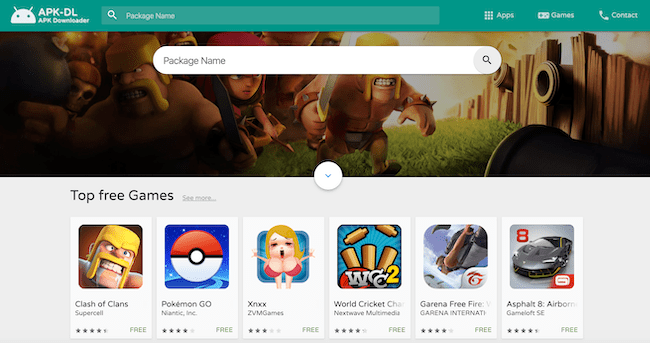
Method 2: Download APK Files From Trusted Sources
Android allows users to install apps using APK files. This can help when an app is unavailable in your region.
Before installing APK files:
- Use trusted APK sources.
- Check the developer name.
- Scan files for security issues.
- Avoid modified or cracked apps.
Installing apps from unknown sources can expose your device to malware, so use caution.
Can a VPN Help Download Region-Locked Apps?
A VPN can change your internet location, but it does not always change your app store region.
For example, simply connecting to another country’s VPN server usually will not make a restricted app appear in the App Store. Your account region, billing information, and device settings may also affect availability.
A VPN is mainly useful for accessing online services after an app has already been installed.
Why Can’t I Download Apps From Another Country?
If you still cannot download a restricted app, possible reasons include:
- Your app store region has not changed.
- The app requires a local phone number.
- A payment method from that country is required.
- Your device is not compatible.
- The developer has completely blocked access.
Is It Safe to Download Apps From Another Country?
Downloading apps from another country is generally safe when using official app stores. However, be careful with third-party websites offering app files.
For better security:
- Download from official sources whenever possible.
- Check app reviews and ratings.
- Keep your device updated.
- Avoid apps that request unnecessary permissions.
Common Questions About Country-Restricted Apps
Can I download apps without changing my country?
Sometimes yes. Some apps are available through direct links, alternative platforms, or developer websites. However, many official store restrictions require changing your account region.
Will changing my app store country delete my apps?
No, your installed apps usually remain on your device. However, some subscriptions and purchases may be affected by changing regions.
Can I switch back to my original country?
Yes, you can change your region back, but you may need to complete certain account requirements first.
Final Thoughts
Learning how to download apps not available in your country can help you access useful tools, games, and services that are limited by region. The safest method is usually changing your App Store or Google Play country settings or using an official alternative provided by the developer.
Avoid downloading suspicious files from unknown websites, and always prioritize security when installing apps. With the right approach, you can access more apps while keeping your device protected.